

Step 1: Account Registration with IC Markets EU
To ensure the highest quality of data transmission and minimal latency, we utilize the IC Markets EU infrastructure. Please follow these steps:
Website Selection: Go to the official website icmarkets.eu. Ensure you are specifically using the European division (regulated by EU authorities).
Getting Started: Click "Open a Live Account" button.
Personal Information: Complete the registration form (First Name, Last Name, Email, Phone Number). Use only authentic data that matches your official identity documents.
Configuration (Critical): In the "Trading Account Configuration" section, you must select the following settings:
Trading Platform: Select cTrader. This is the only platform our software synchronizes with.
Account Type: Select Raw Spread. This type ensures direct access to liquidity providers, allowing commands to be executed without additional price distortions.
Base Currency: Select EUR.
Questionnaire and Experience: Complete the standard broker questionnaire regarding financial experience. This is a mandatory procedure according to EU regulations.
Step 2: activate your technical environment, the broker must verify your identity:
Upload Documents: Provide a clear, color photo of your ID card or passport.
Proof of Residence: Upload a document confirming your residential address (e.g., a bank statement or utility bill, not older than 3 months).
Confirmation: Wait for the confirmation email. This process typically takes from a few hours up to one business day.
Step 3: cTrader ID Activation
Once your account is verified, you will automatically receive an email from the Spotware (cTrader) system:
Open the Email: Find the email titled "Welcome to cTrader ID".
Create Password: Click the activation link and create a secure password.
Credentials: This cTrader ID (your email and new password) will be used for the technical synchronization with our software.
Step 4: System Balance Preparation
To ensure our algorithms can correctly initiate data transmission flows, your account balance must be adequate:
Client Area: Log in to your "IC Markets Client Area".
Deposit: Make a deposit using your preferred method (Bank Wire, Card, etc.).
Requirement: The recommended minimum balance for system activation is 4,000 EUR.
Infrastructure: Our data transmission is powered by the Duplikium cloud technology. It is an industry-leading synchronization engine that ensures institutional-grade speed and reliability between our software and your account.
Service Termination: You maintain full control over your participation. If you decide to stop using our technical solution, you can do so at any time by:
Disconnecting the link: Simply notify us, and we will remove your account from the Duplikium synchronization node within 24 business hours.
Note: Any outstanding maintenance fees for the current month's positive performance must be settled upon termination.
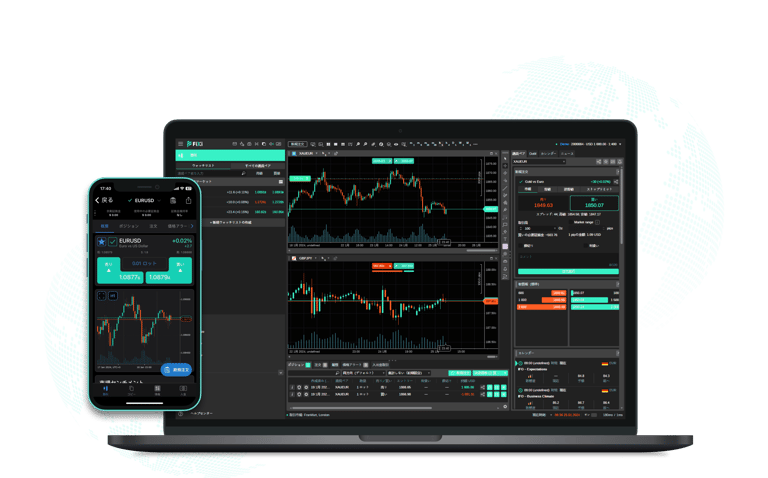
Technical Synchronization (Linking)
To enable our software to transmit data streams to your prepared environment, a one-time technical link must be established:
Data Submission: Securely send your cTrader ID email address and the temporary password you created in Step 3 to our technical team at: trixtrendinfo@gmail.com
Configuration: We will integrate these credentials into the "Duplikium" technological node, which will synchronize our outgoing commands with your account.
Security Assurance: Once we confirm that the connection is active (Status: Connected), we recommend that you immediately change your cTrader password.
Important: Changing your password will not interrupt the active technical data link, but it will ensure that we no longer have access to your account management dashboard. This step is designed to guarantee your maximum privacy.
System Maintenance Fee and Billing Procedures
Our technological solution is billed based on the actual positive performance generated by the system. This ensures a mutual interest in the stability and efficiency of the technology.
Fee Amount: The system maintenance fee is 20% of the total monthly growth generated in your account.
Billing Period: A technical data audit is performed at the end of each calendar month. You will receive an invoice with the required payment details.
Payment Deadline: Invoices must be settled within 3 business days from the date of issuance.
Service Suspension: If payment is not received within the specified timeframe, the data transmission stream to your account will be automatically suspended. Technical synchronization will only be restored once the outstanding balance is fully settled.
Protection Mechanism: The fee is calculated based only on the newly achieved performance peak (High Water Mark). This ensures that you do not pay for the same growth twice if the system is recovering from a temporary fluctuation to its previous level.
Important Technical Disclosures:
Full Autonomy: Your funds remain in your personal account at all times. We have no technical capability to access or withdraw your funds. Your account remains your sole property; we only provide the stable transmission of data commands.
Maintenance Fee: Our service fee (20% of the positive performance peak / High Water Mark) is strictly for software maintenance, server hosting, and ongoing technical support.